
How to Create a Google Account Using Your Existing Email Address
To access a Google Ads account (or any Google service) you need to have a Google account, however, this doesn’t mean you need to create a brand new email.
You can create a new Google Account using any existing email address you already own—it does not have to be a Gmail address. This allows you to access Google services (like Ads, Local Services Ads, Drive, Docs, YouTube, etc.) with your current email—without creating a new Gmail inbox.
Here’s a quick step-by-step guide on how to create a Google account using your existing email address:
Step 1: Start Creating Your Account
1. Go to the Google account login page (accounts.google.com/signin) and click "Create Account”.
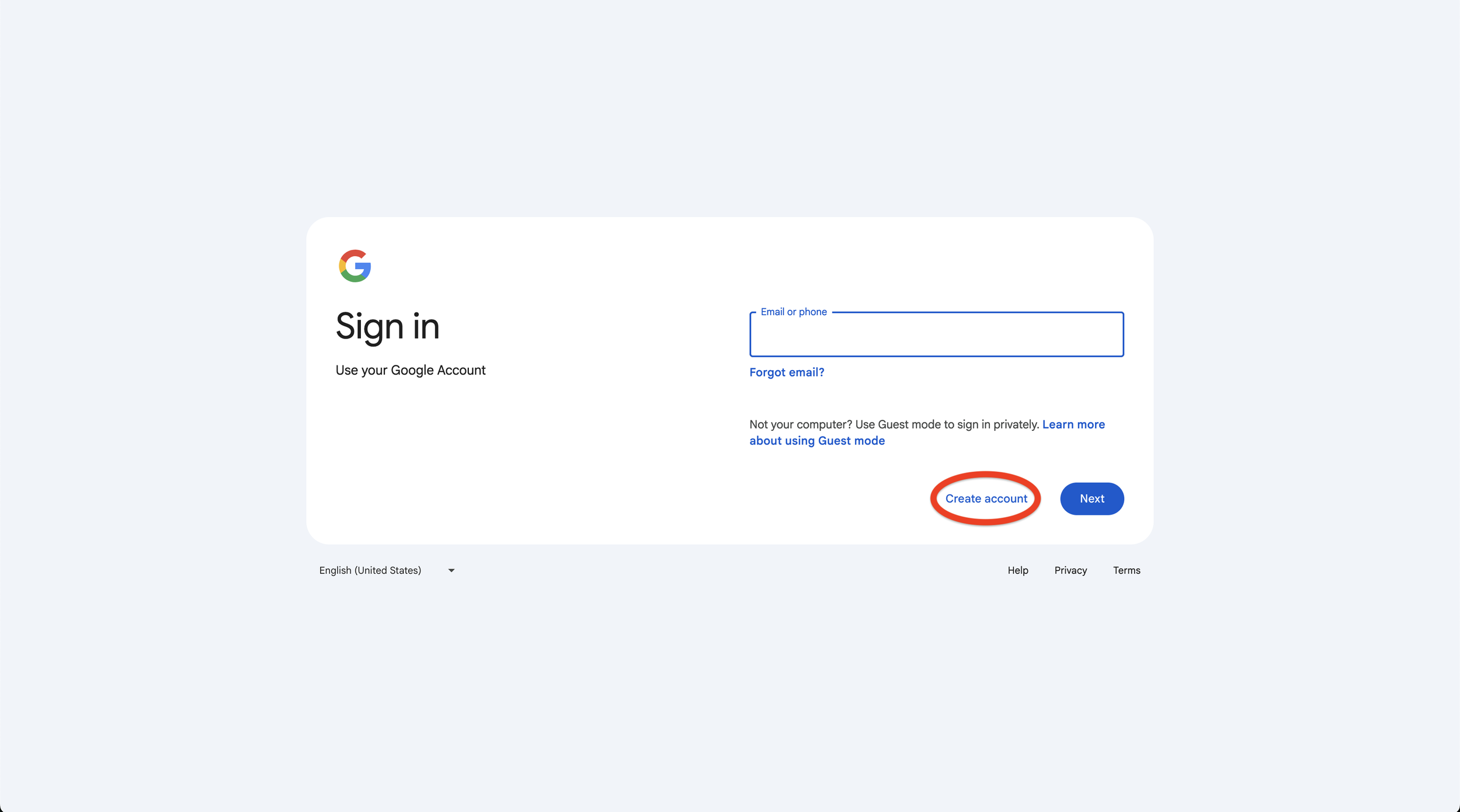
2. Select “For work or my business”.
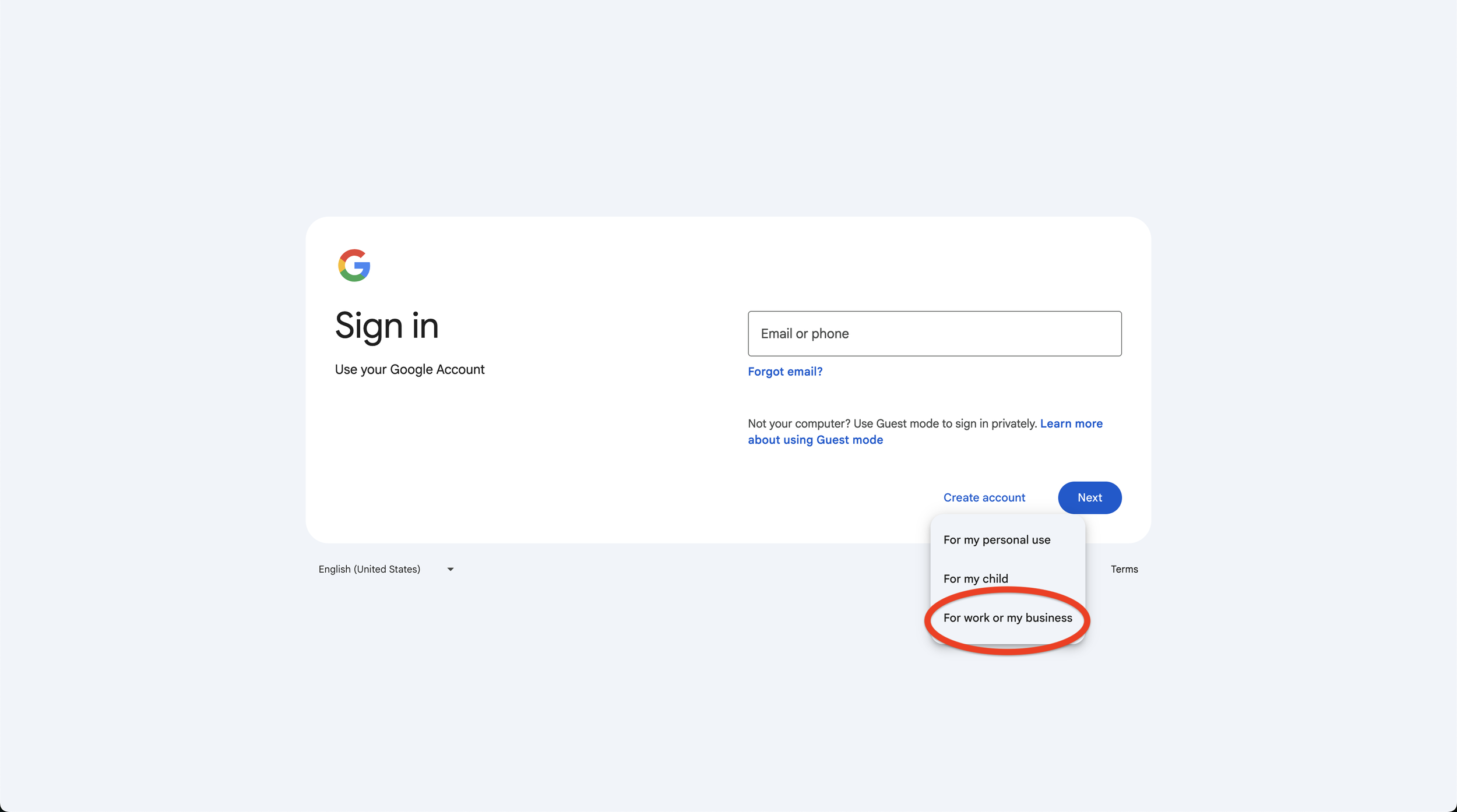
3. Click “Get a Gmail address” (the is the free option).
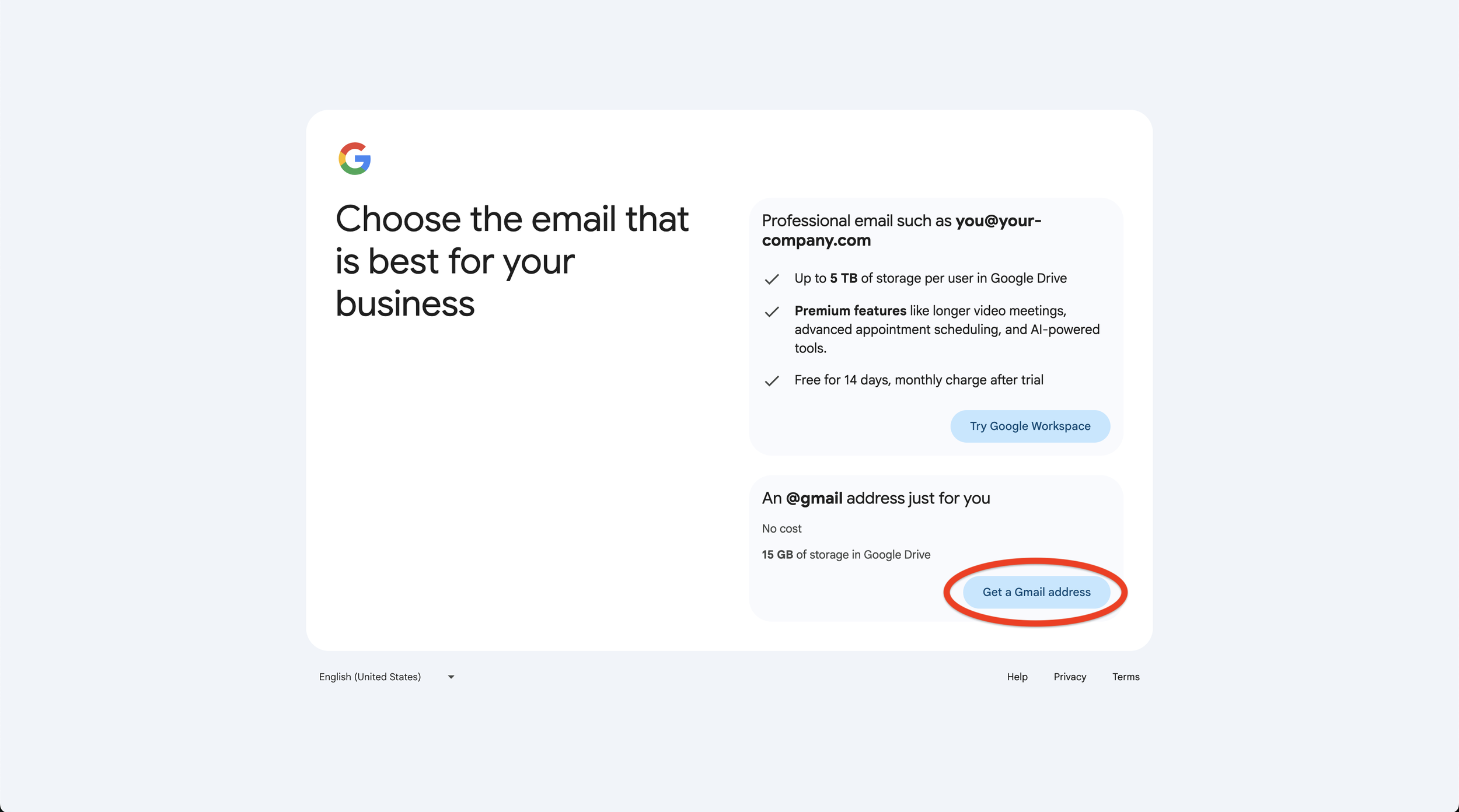
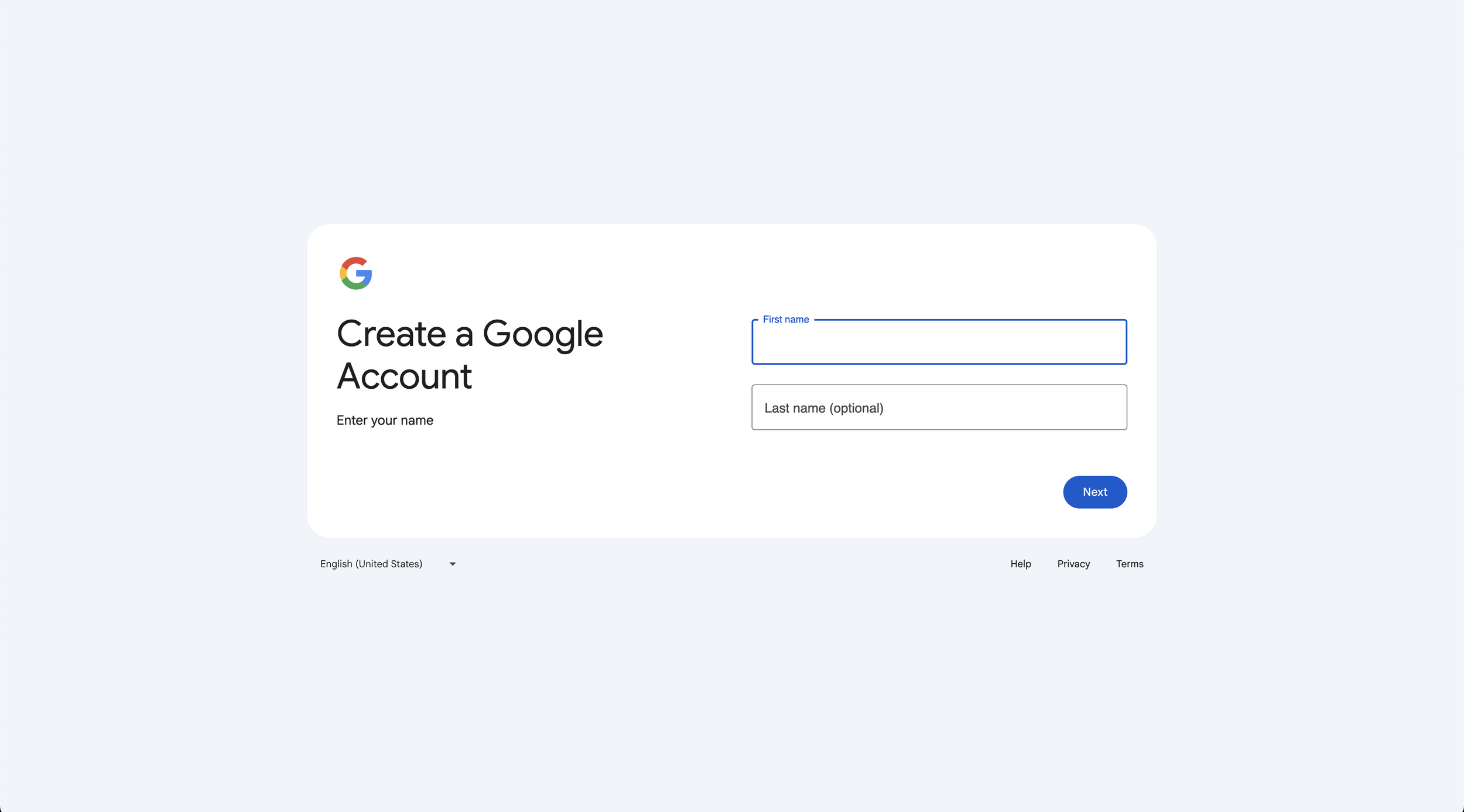
Step 2: Enter Your Personal Info
1. Enter your name.
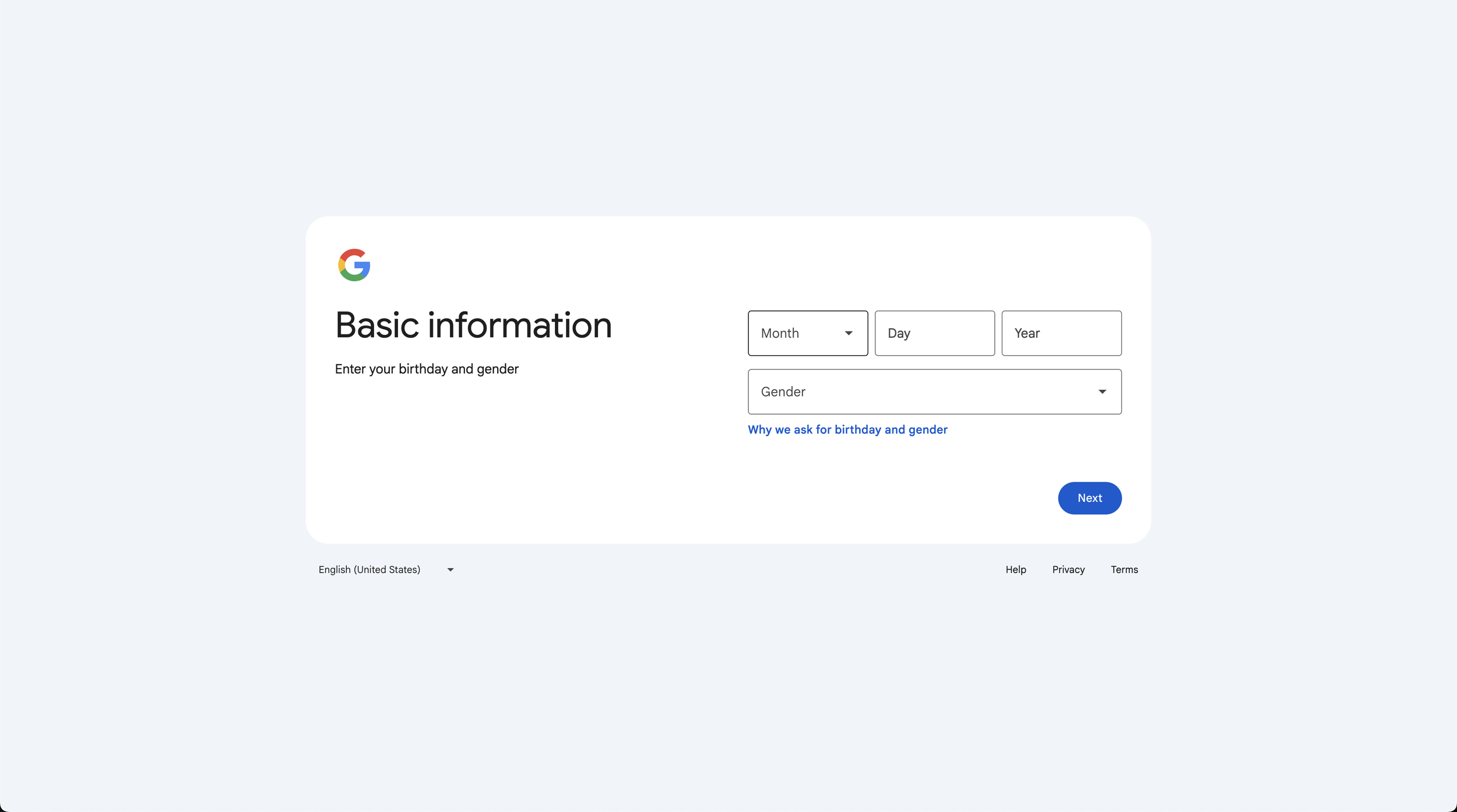
2. Enter your birthday and gender.
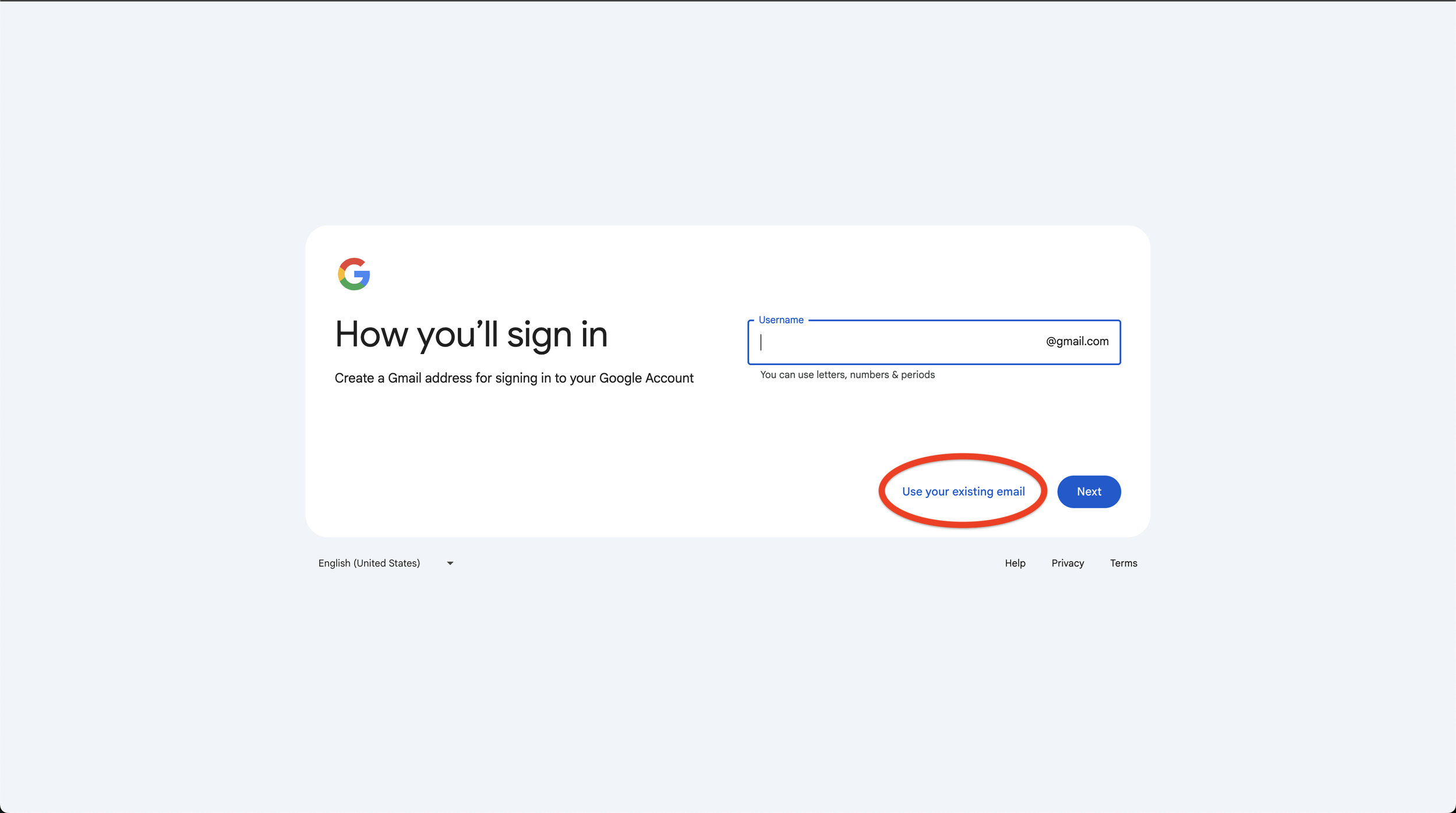
Step 3: Enter and Verify Your Current Email
1. Click “Use your existing email”.
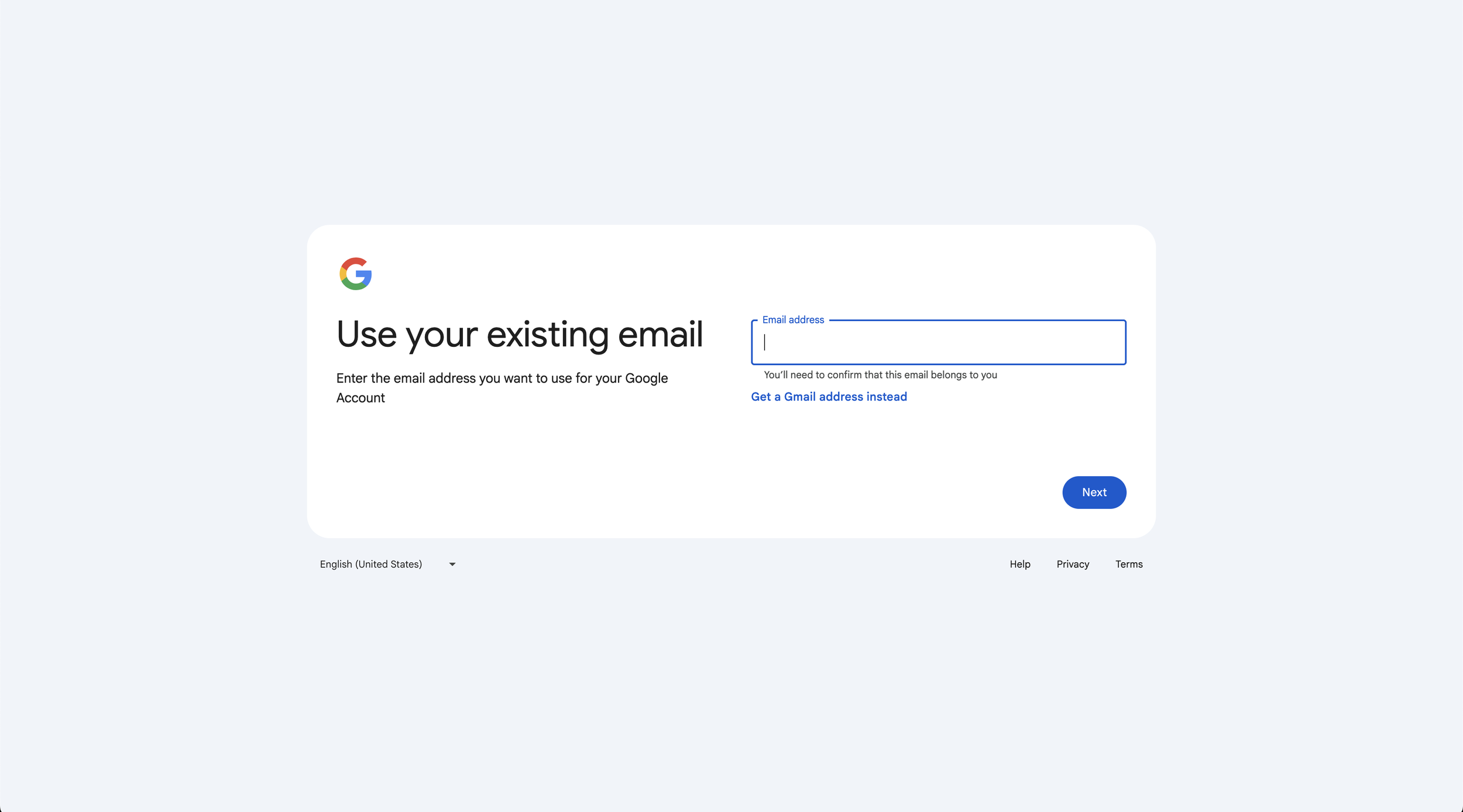
2. Enter your email.
3. Enter the code emailed to you (it can take a moment to receive).
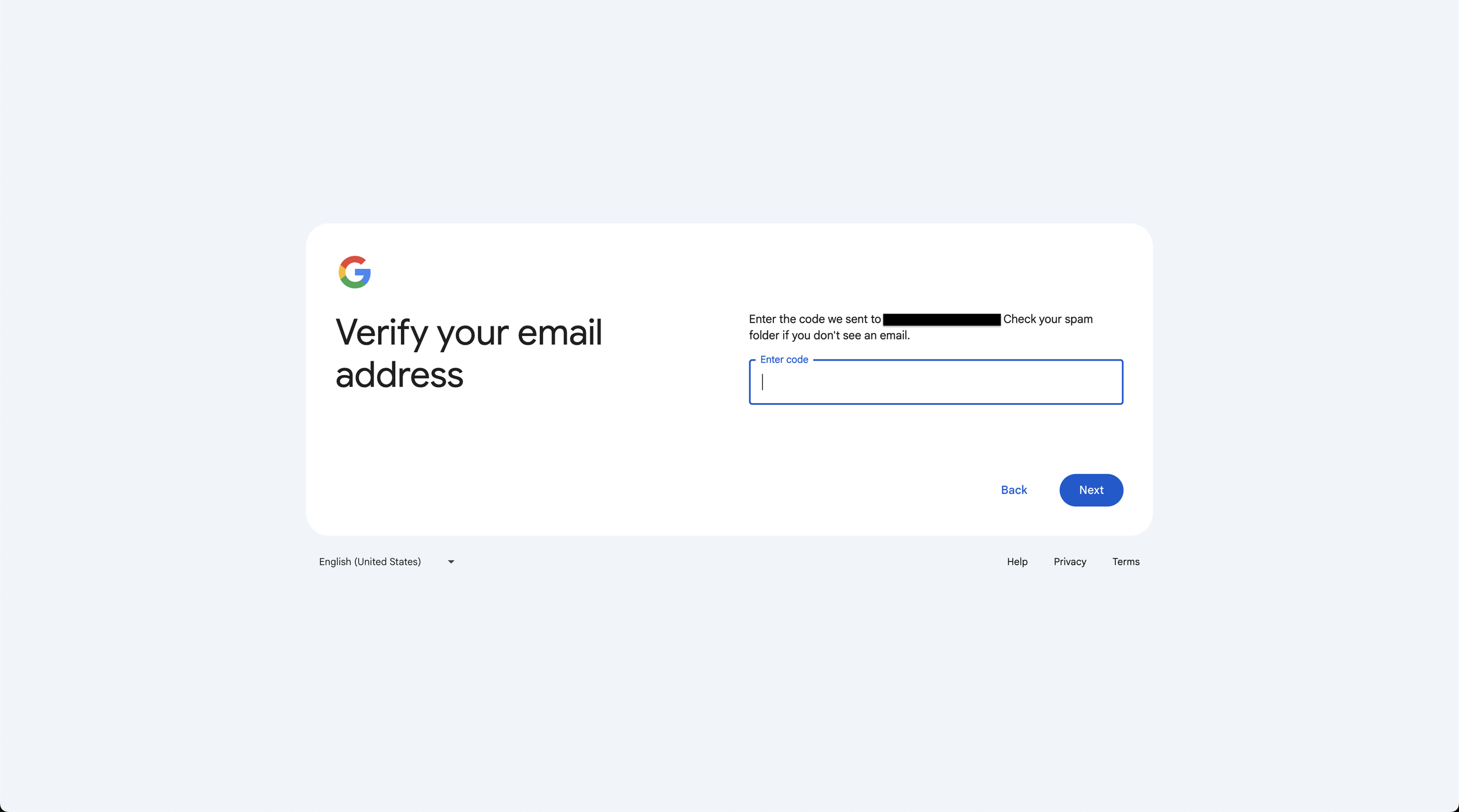
Step 4: Complete Remaining Steps
Complete any remaining steps, such as agreeing to Google’s terms and conditions or setting a password.
That’s It!
You should now be able to accept an invite to a Google Ads account and use Google’s other platforms!
![[background image] help desk (for a direct-to-consumer electronics brand)](https://cdn.prod.website-files.com/image-generation-assets/6aa39df4-5fc0-4593-8468-10b8495229d4.avif)